Adventurim
A downloadable game
Overview:
An early prototype for a 3D Dungeon-crawler RPG.
Inspired by visuals and the gameplay of old-school RPGs, the game is centered around the following gameplay loop:
- Player spawns in town at night, replenishes health and mana by sleeping at the inn and sells loot or buys new equipment for more adventure.
- If the player has enough experience, they can also level up at the inn and get stronger to face bigger challenges
- At day the player heads out to a new procedural generated dungeons
- At the dungeon, the player fights new monsters and finds new loot as well as gaining experience points
- Player leaves dungeon to go back to the town
- Repeat
This consists of features (levelling up) which are being worked and are not available in the current build.
Character Creation:
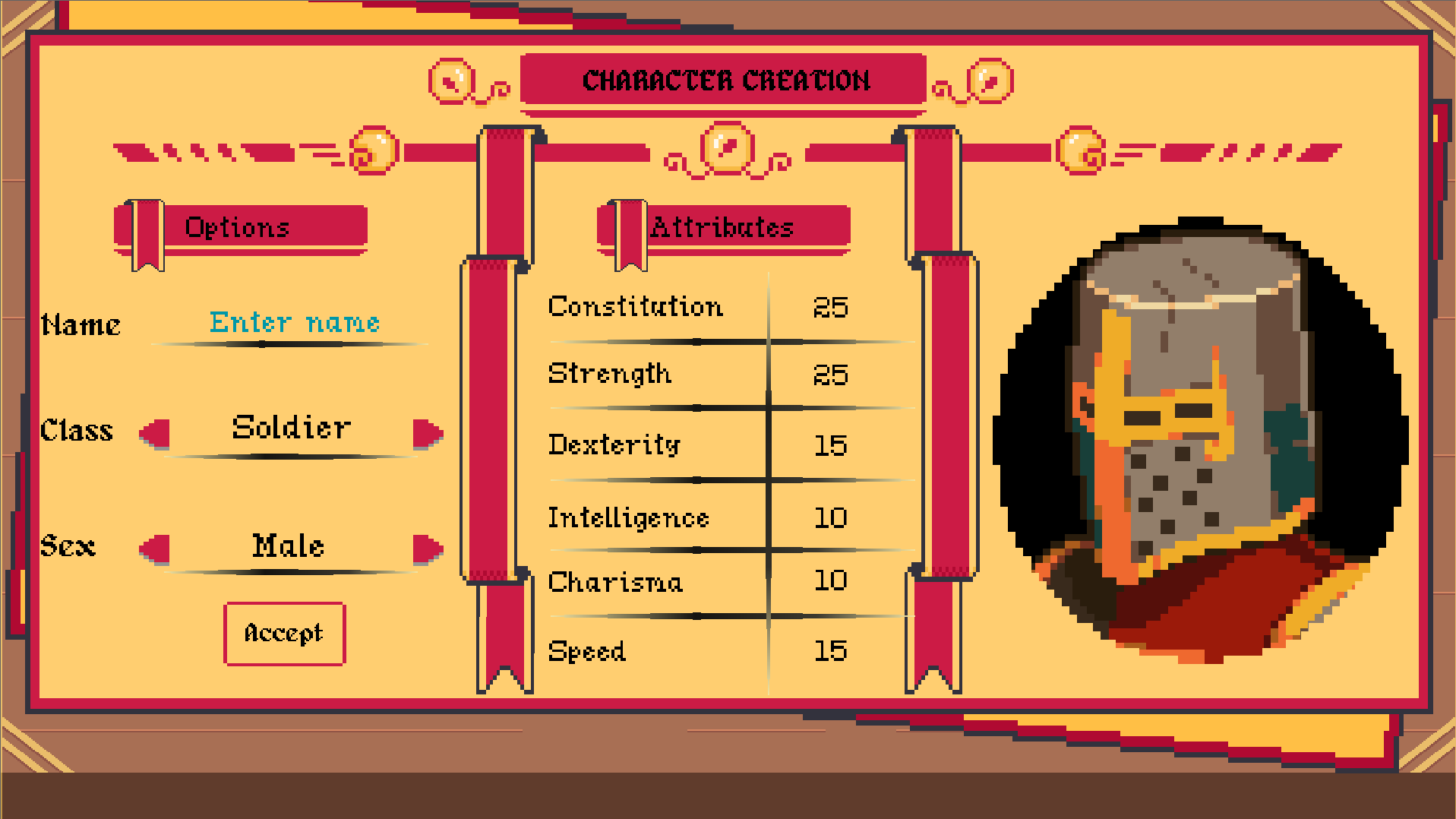
After the player starts the game, they will be taken to a character creation screen. Here the player can name their character and choose from three different classes (so far).
- Soldier: Favours survivability and damage
- Rogue: Favours speed and hit chance
- Sorcerer: Favours magic ability and dabbles a little bit in several areas
Town
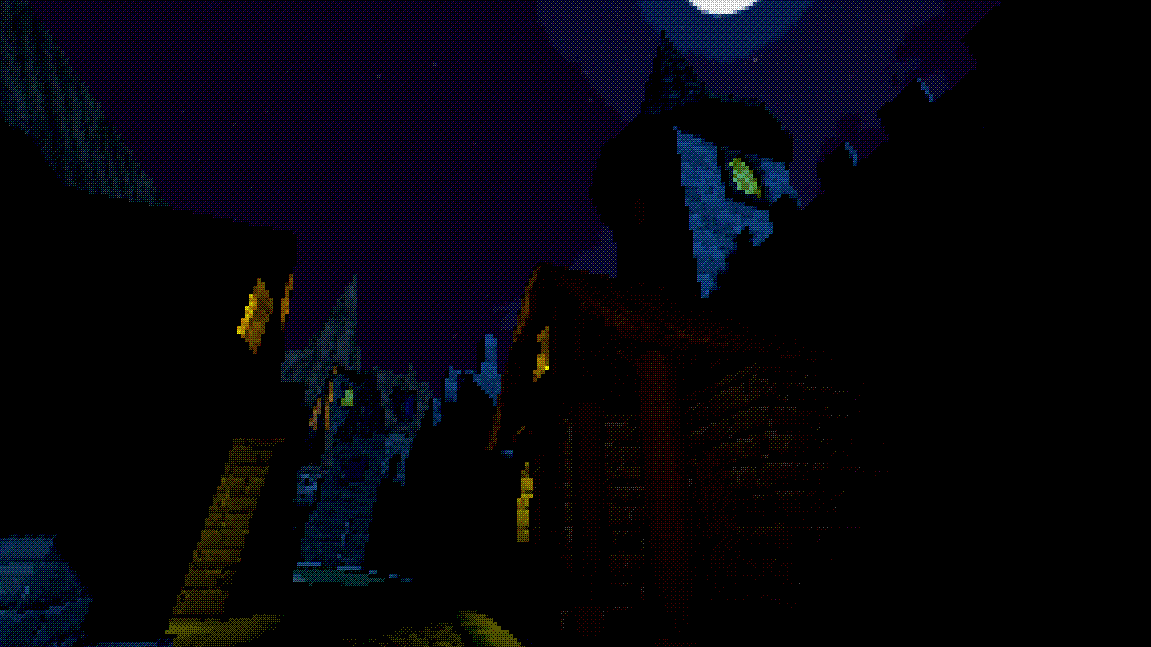
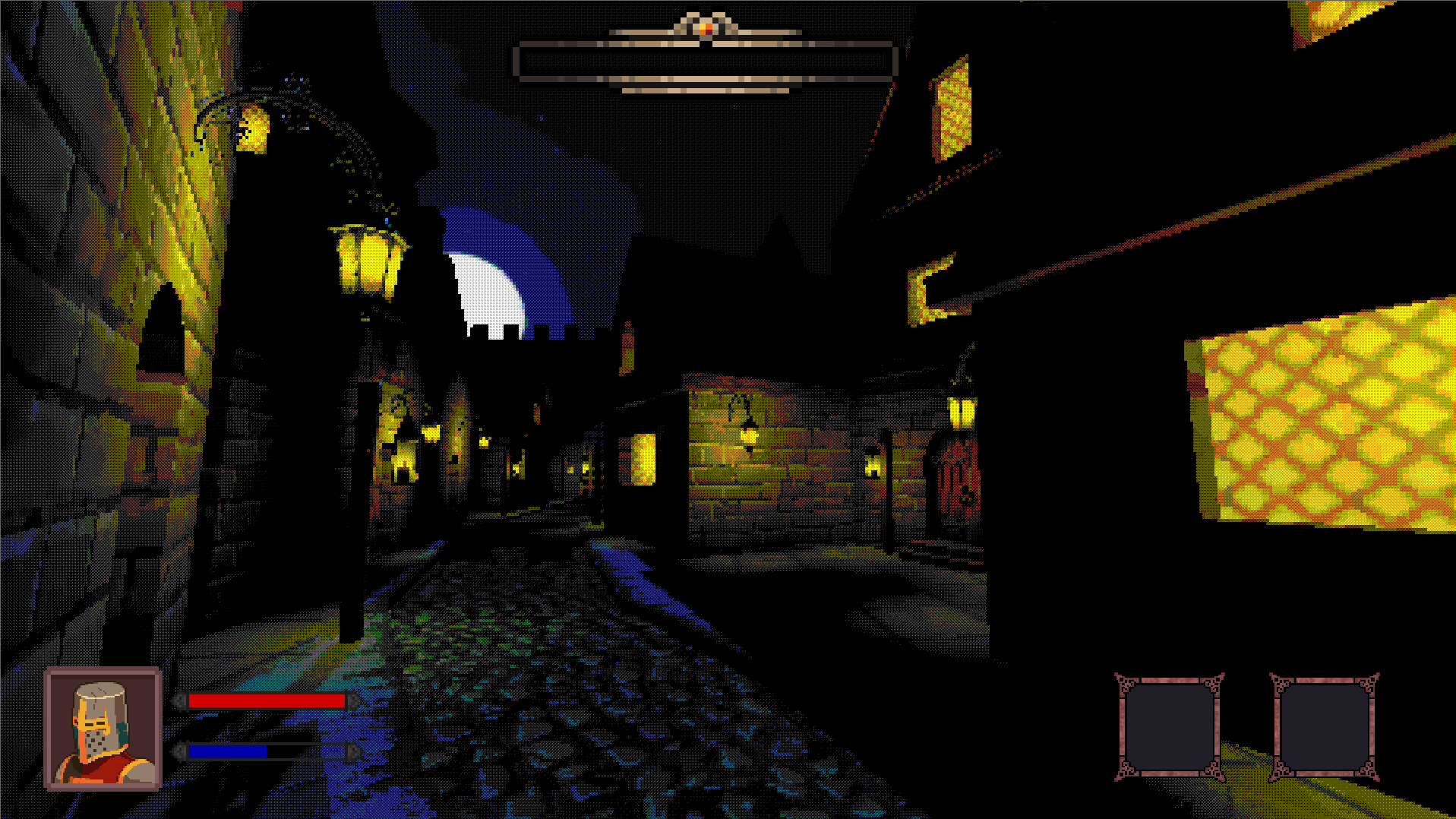
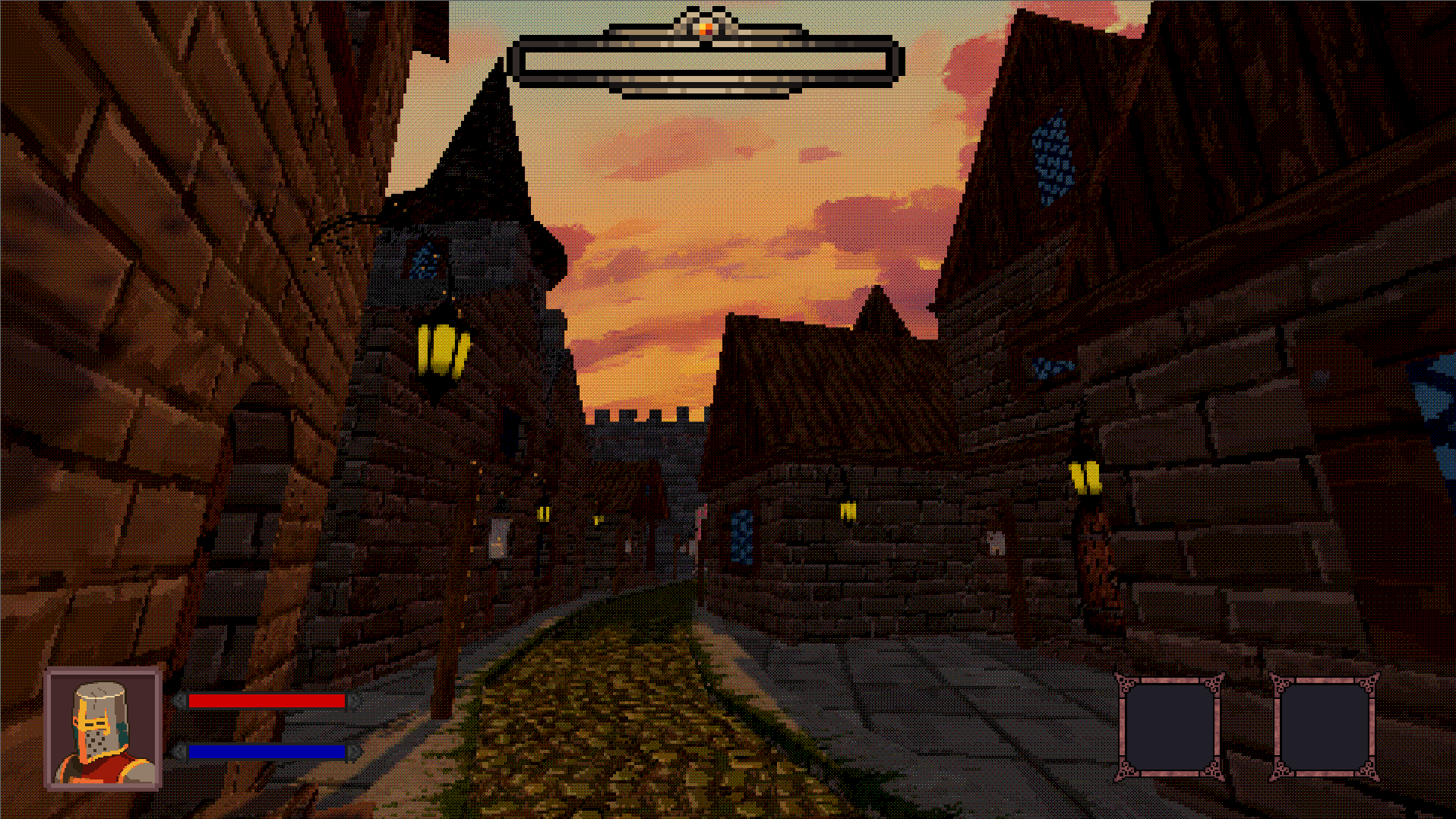
After you create your character, you will spawn in a medieval town at night, also referred to as the game hub in the `Gameplay Loop` section of this manual. Here you will get two locations, the town inn and the merchant's shop. Currenlty, there is no indication of these locations but they can be easily found. The inn is the biggest building in the centre of the street and the merchant's shop is just across it to the left. Approaching their doors will prompot you to open them (See `Controls`). You can approach the inn and enter it which will take you to the inn screen. Here you can click on the `Spend the night` option to change the day to the next one. This will spawn you at the town in daytime. You can then access the merchant or head straight to the town exit to explore a new dungeon.
Controls:
- WASD keys for movement
- E to `interact` and open doors
- spacebar to jump
- shift to sprint
- i to open and close inventory
- Esc to open pause menu (only resume button works currently)
Merchant:
After you enter the merchant shop, you can press the `Show me your wares` button to get to the buying/selling screen. Here you can either click on your inventory to sell something or click on the merchant's inventory to buy something. After you are done, click the `[Leave]` button to leave.
Inventory:
At any point of the game except when you are in the inn or the merchant's shop, you can access your inventory (see `Controls`). Your inventory items will be stored in 24 slots. These are filled up according to the first blank space. Hover over any item to see it's stats. Any equipment item (armor or weapon) may be equipped in it's approapriate slots on the right if you click on them.
Loot:
The `loot` mentioned in the loop updates according to player level. At higher levels, the merchant offers better equipment and the player finds better loot ('finding loot' is a planned feature since the dungeons are just a blank explorable area for now). According to the player class, different loot will suit the player better.
- Light armor for rogues and sorceres
- heavy armor for soldiers
- Daggers for rogues
- Staffs for sorcerers
- Swords for soldeirs
Dungeons:
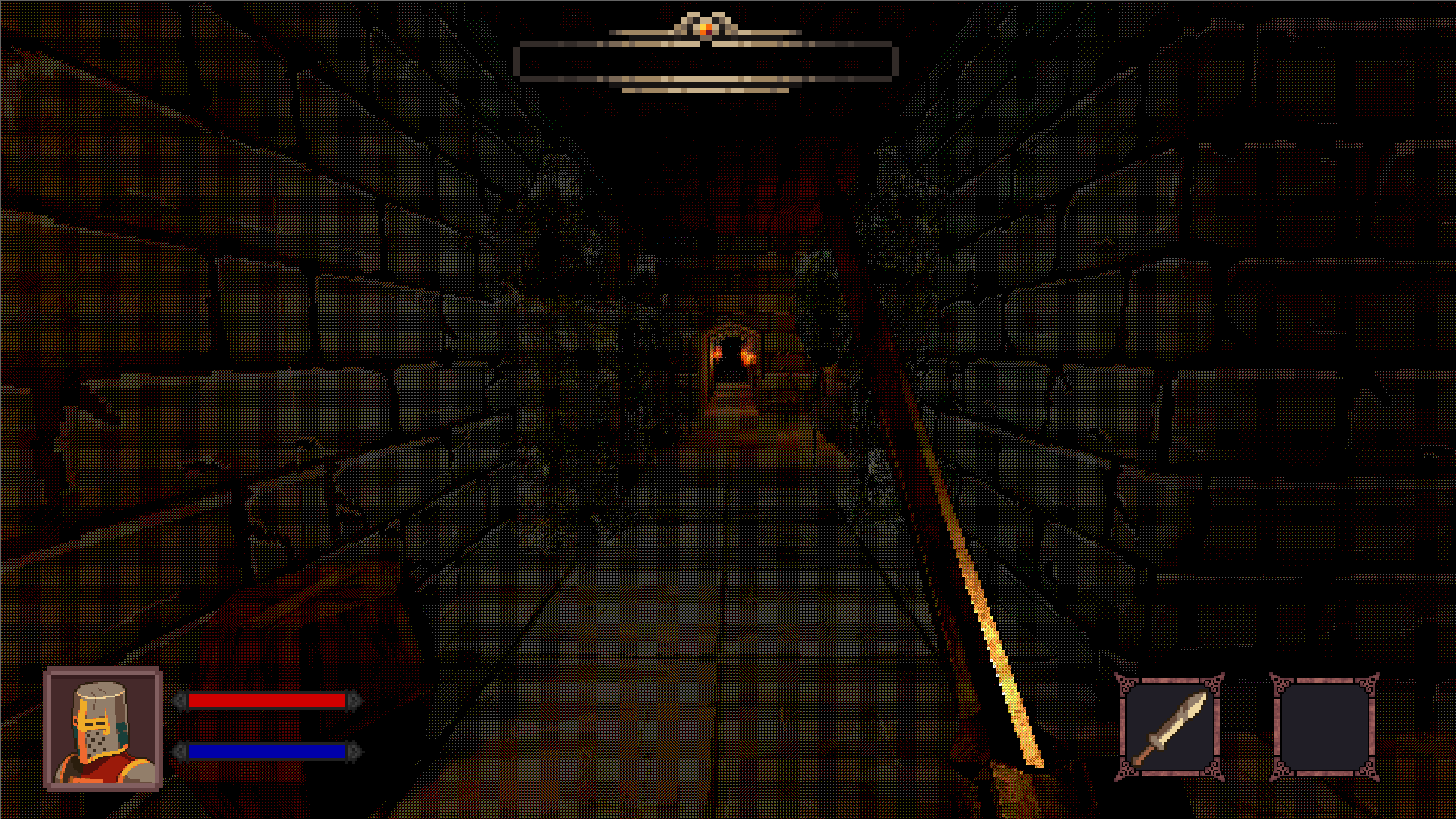
Dungeons are planned to have tiers (probably low-medium-high). Currently a very early prototype of the low-level dungeon is explorable with no loot or mobs.
Scenario Generation:
Currently the feature in the earliest development. For now, there exists only a button in the main menu for a preview of this. However, you need an api key (tested with claude) in your system environment variables for this to work. Only use if you are curious since after using this feature, the only way to quit it is to close the game.
Roadmap:
- Work on the scenario generation and bring it to dungeons
- A random scenario screen will show up and the player responds with one of the choices
- Consequences seen in the 3D world or the game character. (spawning an enemy, loss/gain of stats, loot etc).
- Add mobs and loot to the low level dungeon and remove (blue) placeholder rooms.
Credits:
- Tiny Texture Pack 1: https://screamingbrainstudios.itch.io/tiny-texture-pack
- Arbitrary Color Reduction and Palette Ordered Dithering: https://godotshaders.com/shader/arbitrary-color-reduction-ordered-dithering
- 900+ Pixel Art Texture - 256x256: https://flakdeau19.itch.io/pixel-art-texture-pack-256x256
- voidpix skybox - https://abhishta.itch.io/voidpix-skybox-pack
- Alagard font by Hewett Tsoi: https://www.dafont.com/hewett-tsoi.d4888
- My Dearest Bit font by Hyohnoo: https://hyohnoo.itch.io/mydearestbit
- SimpleDungeons and SimpleFPSController by majikayogames: https://github.com/majikayogames
- Soliloquy by Mathew Pablo: https://opengameart.org/users/matthew-pablo
- Silence Unbroken I & II by Lost in The Forest: https://lostintheforest.bandcamp.com
- SFX sounds by artisticdude: https://opengameart.org/users/artisticdude
- PSX Dungeon by Goblinatron: https://goblinatron.itch.io/psx-dungeon
- Brackeys' VFX Bundle: https://brackeysgames.itch.io/brackeys-vfx-bundle
- func_godot plugin: https://github.com/func-godot
- Medieval Street Lantern by Alexey.inc: https://sketchfab.com/3d-models/medieval-street-lantern-1a38842082494b0cb62f74e6...
- Lantern by VladimirKrysenko: https://sketchfab.com/3d-models/lantern-b96cffa4485449b1b9d53afe26b1e4b8
- Texture Pack: Leather and Metal by JulioVII : https://juliovii.itch.io/ftp-leather-metal
- Medieval Weapons Asset Pack by Wildenza : https://wildenza.itch.io/medieval-weapons-asset-pack
- PSX first person arms by Drillimpact : https://drillimpact.itch.io/psx-first-person-arms-free
- PSX - Dark fantasy Medieval Pack by Wildenza: https://wildenza.itch.io/psx-medieval-pack
- Izchak's Torches by cemkalyoncu: https://opengameart.org/content/izchaks-torches
- 25 Pixel Art Portraits by MedievalMore: https://medievalmore.itch.io/25-pixel-art-portraits-1
- Custom Border and Panels Menu All Part by BDragon1727: https://bdragon1727.itch.io/custom-border-and-panels-menu-all-part
- COMPLETE UI BOOK STYLES PACK LICENSE - By Crusenho Agus Hennihuno: https://crusenho.itch.io/complete-ui-book-styles-pack
- Crimson Fantasy User Interface by Androx: https://byandrox.itch.io/crimson-fantasy-gui
- Health Bar Asset Pack 2 by Adwit Rahman: https://adwitr.itch.io/pixel-health-bar-asset-pack-2
- Humble Gift v1.1 : Player UI by Humble Pixel: https://humblepixel.itch.io/pocket-inventory-series-5-player-status/devlog/955031/-humble-gift-v11-player-ui-
- Super Asset Bundle #2 : Adventure Time: https://humblepixel.itch.io/super-asset-bundle-2-adventure-time
- Wand by Vulpes Software: https://vulpessoftware.itch.io/asset-wand
Download
Leave a comment
Log in with itch.io to leave a comment.